
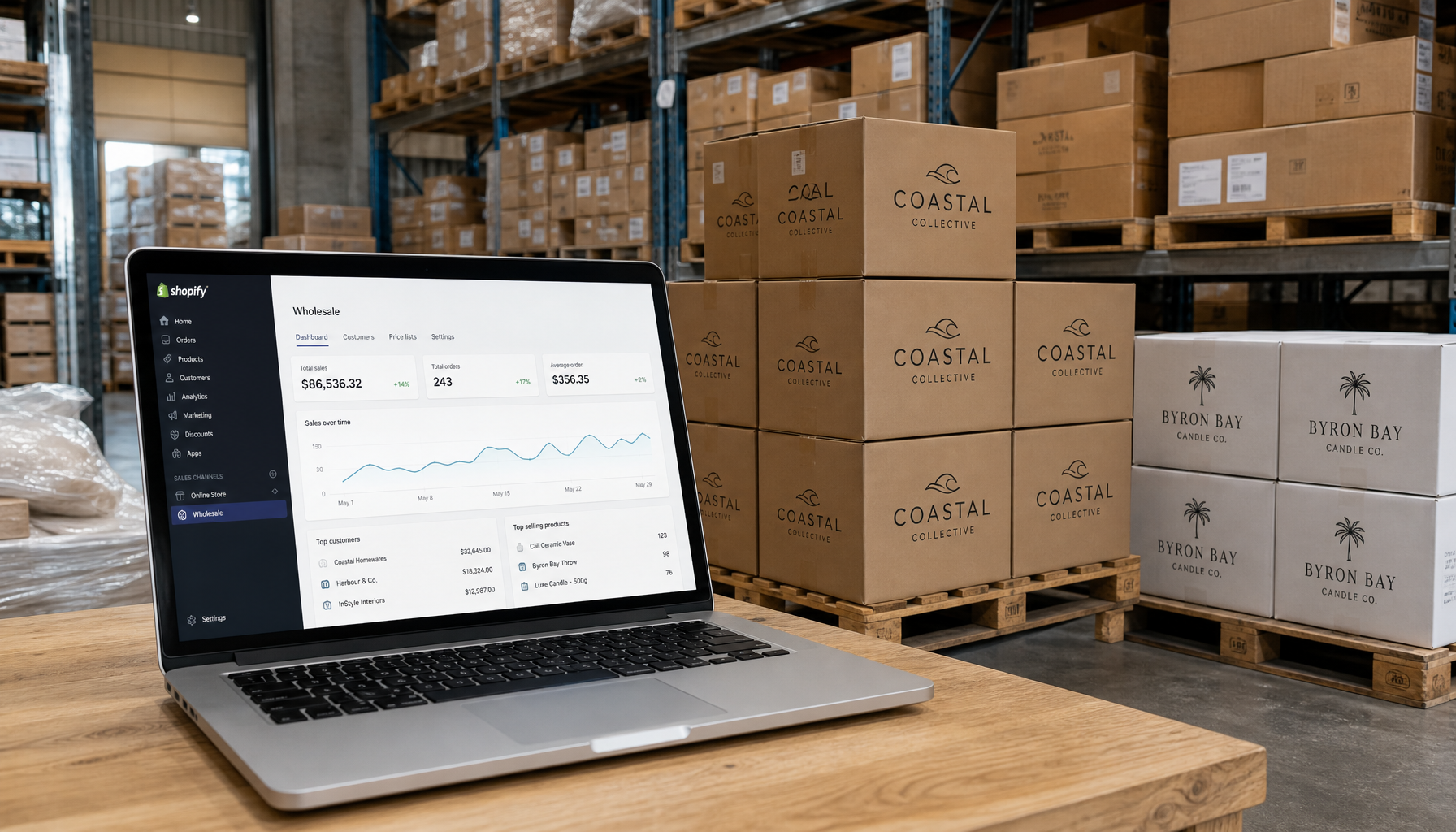
Shopify B2B Wholesale Australia is no longer a niche setup reserved for large distributors with custom-built ERP systems. More Australian brands selling to retailers, hospitality groups, and trade buyers are moving their wholesale operations onto Shopify – and doing it faster than ever. If you have been managing wholesale orders through spreadsheets, phone calls, or a separate WooCommerce install, this guide will show you a cleaner path.
Australia’s B2B e-commerce sector is growing fast. According to ABS industry data, wholesale trade remains one of Australia’s largest industry divisions by revenue, and digitisation pressure from buyers who expect self-service portals is mounting across food and beverage, health, fashion, and hardware. Brands that give trade buyers a clean online ordering experience retain those accounts. Those that don’t are losing ground to competitors who have already made the switch.
This guide walks through every stage: planning your wholesale structure, choosing between Shopify’s native B2B features and third-party apps, configuring GST correctly, setting tiered pricing, managing orders, and running the numbers in AUD to decide whether Shopify Plus or an Advanced plan with an app stack makes more financial sense for your business.
Understanding Shopify’s Native B2B Features for Australian Wholesalers
Shopify rolled out native B2B functionality as part of Shopify Plus starting in 2022, and it has matured significantly. Before you reach for an app, it is worth understanding what is already built in – because it may cover your needs without additional spend.
What Shopify Plus B2B Includes Out of the Box
Shopify Plus gives you a dedicated B2B sales channel with the following built-in capabilities:
- Company profiles: Create a company record that holds multiple locations, contacts, and payment terms. A Sydney-based retailer with three store locations can have one company account with separate shipping addresses per location.
- Customer-specific price lists: Assign fixed prices or percentage discounts to individual companies without needing a discount code. Your independent bottle shop in Brisbane can see different pricing from your national chain account.
- Net payment terms: Set Net 7, Net 14, Net 30, or Net 60 payment terms per company. Trade buyers can place orders and pay later, with invoices sent automatically.
- B2B-only storefront: You can run your wholesale portal on a separate URL (for example, wholesale.yourbrand.com.au) with login-gated access so retail customers never see trade pricing.
- Quantity rules and minimum orders: Set minimum order quantities per product or per order, and enforce case-pack increments at the variant level.
- Vaulted payment methods: Allow buyers to save payment details so repeat orders are frictionless.
On Shopify Advanced (the tier below Plus), native B2B company accounts are not available. You will need a third-party app to replicate this functionality. That cost difference is a key factor in the breakeven analysis below.
What Shopify B2B Does Not Cover (Yet)
Even on Plus, there are gaps. Shopify’s native B2B does not currently handle:
- ABN (Australian Business Number) verification at signup – you need an app or custom logic for this
- Complex tiered volume pricing across multiple product categories simultaneously
- Purchase order number capture at checkout without a customisation
- Automatic credit limit enforcement beyond manual payment term assignment
Knowing these gaps upfront helps you plan your app stack rather than discovering limitations after launch.
GST on Your Shopify B2B Wholesale Australia Store – Getting This Right
This is the section most guides get wrong, and it is the one that matters most for Australian compliance. Let me be direct about how GST works in a B2B wholesale context.
Australian B2B Buyers Are Not GST-Exempt
Australian wholesale buyers are not exempt from GST. They pay GST on their purchases and then claim it back as an input tax credit on their BAS (Business Activity Statement). This is a fundamental feature of Australia’s GST system – it is not the same as the US sales tax exemption model, where resellers can provide a certificate to avoid paying tax altogether.
True GST exemptions in Australia are narrow and specific. They apply to:
- Exports of goods (zero-rated supply under Division 38 of the GST Act)
- Certain medical aids and appliances
- Some fresh food, educational materials, and financial supplies
If you are selling homewares, clothing, health products, food ingredients, or most other wholesale goods to Australian retailers, GST applies. Do not configure your store to exempt B2B buyers from GST – that is legally incorrect.
The Correct Shopify Configuration for Australian B2B Pricing
What Australian wholesale buyers actually want is to see prices excluding GST (ex-GST) so they can evaluate margin without doing mental arithmetic. They understand GST will be added at checkout and they will claim it back.
Here is how to configure this correctly in Shopify:
- Go to Settings > Taxes and Duties in your Shopify admin.
- Under Australia, confirm GST is enabled at 10%.
- Enable “Show prices excluding taxes” for your B2B storefront. This means the prices displayed are ex-GST, but GST is still calculated and added at checkout.
- On the checkout confirmation and invoice, GST will appear as a separate line item – exactly what your buyers need for their BAS records.
- Your Shopify invoices should show the GST amount separately and include your ABN. This is a legal requirement under the ATO’s tax invoice rules for supplies over AUD 1,000.
For Australian exports to New Zealand or other markets, zero-rating applies to the exported goods. Shopify handles this through shipping destination rules. The ATO’s GST and exports guidance is the authoritative source here – bookmark it.
ABN Collection and Verification
For a genuine B2B portal, you want to collect and ideally verify a buyer’s ABN during account registration. Shopify’s native registration form does not include an ABN field, so you need one of these approaches:
- Custom account request form using Shopify’s built-in “Wholesale account request” feature (Plus only), which lets you add custom fields including ABN before you approve an account.
- Third-party app: Wholesale Gorilla and Wholesale Club both allow custom registration fields. You can add an ABN field and manually verify it against the Australian Business Register (ABR) lookup before approving access.
Neither approach automates ABN verification in real time, but the manual check takes about 30 seconds per application and is a worthwhile fraud prevention step.
Choosing Between Shopify Plus and Advanced Plus an App Stack
This is the question I see Australian brands wrestle with most. Shopify Plus costs approximately AUD 3,500/month (the USD 2,300/month plan at current exchange rates, though Shopify bills in USD so the AUD equivalent fluctuates). Shopify Advanced costs AUD 450-480/month. The question is whether the app stack on Advanced closes the gap at your current GMV.
Breakeven Analysis: Shopify Plus vs Advanced + App Stack
Here is a realistic app stack for an Advanced plan store handling B2B wholesale:
- Wholesale Club (by Orbit): AUD 95/month – customer tagging, tiered pricing, order minimums
- Wholesale Gorilla: AUD 55-95/month – custom registration, net terms, PO number capture
- Bold Custom Pricing (or Wholesale Pricing Discount): AUD 30-80/month – volume-based tiered pricing
- Locksmith (for storefront gating): AUD 15/month
A realistic total for Advanced + apps: AUD 650-750/month, depending on which apps you choose and their tier. Compare that to Shopify Plus at approximately AUD 3,500/month and the monthly savings are roughly AUD 2,750-2,850.
The table below shows when Plus starts to pay for itself based on GMV:
Approximate Breakeven Comparison (AUD/month)
GMV: AUD 300,000/month
Advanced + Apps: ~AUD 700/month | Shopify Plus: ~AUD 3,500/month
Verdict: Advanced wins – Plus costs AUD 2,800 more per month for marginal feature gains at this volume.GMV: AUD 500,000/month
Advanced + Apps: ~AUD 700/month | Shopify Plus: ~AUD 3,500/month
Verdict: Advanced still wins on cost, but evaluate native B2B features vs. app friction carefully.GMV: AUD 1,000,000+/month
Advanced + Apps: ~AUD 700/month | Shopify Plus: ~AUD 3,500/month
Verdict: At this volume, Plus pays back through lower transaction fees (0.2% vs 0.5% on Advanced, saving AUD 3,000/month on AUD 1M GMV), dedicated support, and native B2B removing app dependencies.
The real breakeven point for Shopify Plus is roughly AUD 900,000-1,000,000 GMV per month when you factor in transaction fee savings plus the operational cost of managing an app stack. Below that, Advanced with the right apps is almost always the more cost-effective path. The old “AUD 500K rule of thumb” you may have read elsewhere is not based on real maths – run the numbers for your specific transaction mix.
When Plus Genuinely Makes Sense
Beyond GMV thresholds, choose Shopify Plus if you need:
- Multiple storefronts from one admin (for example, a retail store, a B2B portal, and an international store)
- Shopify Flow automation without third-party triggers
- Script Editor access for complex checkout customisations
- A dedicated Merchant Success Manager (valuable if your team is small)
- Access to Shopify’s native B2B company profiles without app workarounds
Step-by-Step: Setting Up Tiered Pricing for Wholesale on Shopify Australia
Tiered pricing is the backbone of most Australian wholesale operations. A common structure looks like this: standard trade price for orders under 12 units, 5% off at 12+ units, 10% off at 24+ units, and negotiated pricing for accounts above AUD 5,000 per order. Here is how to build this.
Option A: Shopify Plus Native Price Lists
- In your Shopify admin, navigate to Sales Channels > B2B > Price Lists.
- Create a new price list. You can set either fixed prices per variant or percentage adjustments from your retail price.
- Assign the price list to a company or to a specific company location.
- For volume-based tiers, create separate price lists (for example, “Tier 1 – Standard”, “Tier 2 – Volume”, “Tier 3 – Key Account”) and assign them manually based on your account categorisation.
The limitation here is that Shopify’s native price lists do not automatically switch tiers based on cart quantity. That switch requires manual account management or a Flow automation.
Option B: Wholesale Club on Advanced Plan
- Install Wholesale Club by Orbit from the Shopify App Store. Pricing starts at approximately AUD 95/month.
- Set up customer tags in your Shopify admin (for example, “wholesale-tier1”, “wholesale-tier2”, “key-account”).
- In Wholesale Club, create discount rules tied to each tag. Tier 1 might get 20% off retail, Tier 2 gets 25%, Key Account gets 30%.
- Enable volume pricing within each tier if needed – for example, Tier 1 gets an additional 3% off for orders over 24 units of any single SKU.
- Set order minimums per tier (for example, AUD 200 minimum for Tier 1, AUD 500 for Tier 2).
Wholesale Club does not currently offer ABN field verification, but it does allow custom registration form fields where you can collect an ABN manually.
Option C: Bold Custom Pricing for Complex Scenarios
If you have matrix pricing (different prices by product category AND customer tier simultaneously), Bold Custom Pricing handles this more flexibly than Wholesale Club. It integrates with Shopify’s customer metafields and supports CSV-based price uploads, which is practical for brands with catalogues exceeding 500 SKUs. Pricing is approximately AUD 60-80/month on their mid-tier plan.
Order Management and Invoicing for Australian B2B Buyers
A wholesale portal is not just a storefront – it is an order management system. Australian trade buyers expect to submit purchase orders, receive tax invoices with GST broken out, and track fulfilment without calling your customer service team.
Purchase Order (PO) Number Capture
Most Australian wholesale buyers will reference a PO number on their orders. Shopify does not capture PO numbers natively on Advanced, but you can solve this a few ways:
- Wholesale Gorilla includes a PO number field at checkout as a built-in feature.
- Shopify Plus users can add a custom field to the checkout via the Checkout Extensibility editor without needing an app.
- For Advanced users without an app that handles this, the free Order Printer Pro app lets you display any note field on invoices – you can ask buyers to enter the PO number in the order notes field as a workaround.
Tax Invoices Compliant with ATO Requirements
Under ATO tax invoice requirements, any supply over AUD 1,000 must have a tax invoice showing:
- The words “Tax Invoice”
- Your ABN
- The date of issue
- The buyer’s identity or ABN (for supplies over AUD 1,000)
- A description of the goods
- The GST amount (or a statement that the total includes GST)
Shopify’s default order confirmation email does not meet these requirements out of the box. Use Order Printer Pro (free) or Sufio (approximately AUD 50-75/month) to generate compliant tax invoices. Sufio supports Australian-specific invoice templates and can include GST line breakdowns automatically. It also has an Australian support team, which helps when you need configuration assistance.
Net Terms and Credit Management
On Shopify Plus, net payment terms (Net 7, 14, 30, 60) are set per company record and generate automatic payment reminders. On Advanced, Wholesale Gorilla and Spently can handle basic net terms workflows, though they require more manual oversight.
For credit limit management – blocking orders when a buyer has outstanding invoices beyond a set amount – neither Plus native nor most apps handle this fully. Brands with large trade programmes typically integrate Shopify with an accounting platform like Xero (widely used by Australian businesses) or MYOB to enforce credit holds automatically.
Shopify Apps for Wholesale Australia: The Practical Short List
There are dozens of wholesale apps in the Shopify App Store. Below are the ones that are genuinely worth evaluating for Australian B2B operations, with AUD pricing estimates based on current listed rates (prices are in USD on the App Store and convert at prevailing rates).
- Wholesale Club by Orbit – AUD 95/month. Best overall for tagging-based tiered pricing. No ABN verification but allows custom registration fields. Solid Australian user base.
- Wholesale Gorilla – AUD 55-95/month depending on plan. Strong on net terms, PO capture, and custom registration. Worth evaluating if PO workflows are important.
- Handshake (by Shopify) – Free. Shopify’s own wholesale marketplace. Useful if you want to get discovered by new buyers, but not a replacement for a private portal.
- Sufio – AUD 50-75/month. Best-in-class for ATO-compliant invoicing. Australian support available.
- Locksmith – AUD 15/month. Reliable storefront gating. Locks pages, collections, or the entire store behind login or tag-based access rules.
- Xero integration (native Shopify connector) – Free within Xero subscription. Syncs orders, customers, and invoices. Essential for any Australian brand running Xero as their accounting system.
For more context on building out your Shopify tech stack, see our guide on choosing the right Shopify app stack for your store.
Compliance and Account Approval Workflow
A B2B portal without a buyer vetting process creates real problems – you end up with retail customers buying at wholesale prices, unverified businesses abusing net terms, and compliance headaches. Here is a practical approval workflow for Australian wholesale accounts.
Account Registration Flow
- Gate the storefront: Use Locksmith or Shopify Plus’s native gating to prevent unregistered users from seeing trade prices or placing orders.
- Custom registration form: Collect business name, ABN, trading entity, phone number, estimated monthly order volume, and which product categories they are interested in. On Plus, use the built-in wholesale account request form. On Advanced, Wholesale Gorilla or a Typeform embed works.
- ABN verification: Cross-check the submitted ABN against the ABR lookup tool. Takes 30 seconds. Confirms the entity is registered, GST-registered, and trading.
- Manual approval: Your sales or operations team reviews and approves. On Plus, approval activates the company account and assigns a price list. On Advanced, approval means applying the correct customer tag that unlocks their pricing tier.
- Welcome email: Send a personalised onboarding email with their login, minimum order info, payment terms, and your trade terms PDF.
Ongoing Compliance
Review accounts annually. Remove tags or deactivate company profiles for buyers who have not ordered in 12 months. For buyers on net terms, reconcile against Xero monthly. If a buyer’s account has unpaid invoices beyond their credit period, flag this in your CRM and suspend their Shopify account access until resolved – Shopify does not do this automatically, so a manual or Xero-triggered process is needed.
If you export goods to international wholesale buyers, remember that the export zero-rating applies to the supply, but you still need to retain export evidence (shipping documents, freight forwarder records) for ATO audit purposes. Domestic B2B buyers are, again, not GST-exempt – they pay GST and reclaim it.
Setting Up Your Shopify B2B Wholesale Portal: The Complete Steps
Here is the end-to-end setup sequence. This assumes you already have a Shopify store and are adding a B2B channel.
Step 1: Choose Your Plan and App Stack
Use the breakeven analysis above. If your B2B GMV is below AUD 900K/month, start on Advanced with Wholesale Club or Wholesale Gorilla. If you are already above that, or you expect to cross it within 6 months, go directly to Plus and use native B2B.
Step 2: Configure Your Wholesale Pricing Structure
Map out your tiers before touching Shopify. Decide: how many tiers will you have, what is the discount or fixed price for each, what are the order minimums, and what products are included. A simple spreadsheet with columns for SKU, retail price, Tier 1 price, Tier 2 price, and Tier 3 price is all you need. Once this is agreed internally, upload it to your chosen pricing app or create price lists in Plus.
Step 3: Configure GST Settings
In Settings > Taxes and Duties, confirm Australian GST at 10% is enabled. Enable “Show prices excluding taxes” for your B2B storefront so buyers see ex-GST prices. Test a checkout end-to-end and confirm GST appears as a separate line on the order confirmation. Configure your invoice template (via Sufio or Order Printer Pro) to display your ABN, the buyer’s ABN, and GST as a separate line item.
Step 4: Build Your Account Registration and Approval Process
Set up your registration form with ABN collection. Configure your gating (Locksmith or Plus native). Brief your operations or sales team on the approval process and where to verify ABNs. Set up a welcome email sequence – even a basic Shopify email automation works at first.
Step 5: Configure Order Management
Add PO number capture (via app or checkout customisation). Connect Xero for accounting sync. Set up net payment terms if applicable. Test a full order cycle: registration, approval, login, order placement, invoice generation, fulfilment notification.
Step 6: Launch and Onboard Your First Buyers
Do not do a mass launch. Start with 5-10 existing wholesale accounts you know well. Walk them through the portal personally or via a short Loom video. Collect their feedback. Fix the friction points before opening to your broader account base. This matters – wholesale buyers are habitual, and if their first experience is confusing, they will keep emailing orders instead of using your portal.
For more on migrating existing wholesale customers to a digital portal, read our piece on moving your wholesale business online.
Common Mistakes Australian Brands Make With Shopify B2B
I have seen the same errors come up repeatedly in Australian wholesale portal setups. Here are the ones worth calling out explicitly.
- Configuring buyers as GST-exempt: Already covered above – this is factually wrong and creates an ATO compliance problem. Do not do it.
- Using discount codes for wholesale pricing: Discount codes can be shared, they expire, and they create a terrible buyer experience at checkout. Use tag-based pricing or price lists instead.
- Not gating the storefront: If your wholesale prices are visible to anyone who guesses the URL, you are undermining your retail channel and likely violating MAP policies with your retail stockists.
- Skipping the invoice setup: Shopify’s default order emails are not ATO-compliant tax invoices for B2B supplies over AUD 1,000. Fix this before your first wholesale order ships.
- Choosing Plus before the GMV justifies it: Shopify Plus is a great product but paying AUD 3,500/month when you are doing AUD 150K GMV/month in B2B means the plan costs you roughly 2.3% of revenue. That is not efficient. Grow into it.
- Not collecting ABNs: You have no legal requirement to collect ABNs from buyers (they are required to quote their ABN to you for supplies over AUD 82.50), but practically, collecting them upfront makes account vetting and Xero reconciliation much cleaner.
If you are also managing a retail Shopify store alongside your wholesale channel, see our overview of running retail and wholesale from one Shopify admin.
Key Takeaways
- Australian B2B buyers are not GST-exempt – they pay GST and claim it back as an input tax credit. Configure Shopify to show ex-GST prices, not to exempt buyers from GST.
- Shopify Plus B2B is cost-effective at approximately AUD 900K+ GMV per month in B2B sales when transaction fee savings are included. Below that, Advanced with Wholesale Club or Wholesale Gorilla is the better deal.
- Collect and verify ABNs during account registration using the ABR lookup tool – it takes 30 seconds and prevents fraudulent account applications.
- Use Sufio or Order Printer Pro to generate ATO-compliant tax invoices that show GST as a separate line and include your ABN.
- Gate your wholesale storefront from day one using Locksmith (on Advanced) or Shopify’s native B2B gating (on Plus).
- Integrate with Xero for accounting sync – it is the dominant accounting platform for Australian SMBs and the integration is reliable.
- Launch with 5-10 existing accounts first, fix friction, then scale.
Conclusion
Building a Shopify B2B wholesale portal for Australian brands is genuinely achievable without a six-figure development budget. The combination of Shopify’s improving native features and a targeted app stack means most Australian wholesalers can go live with a functional, compliant portal in 4-8 weeks.
The two things that trip brands up the most are getting GST wrong (which is a compliance risk, not just a UX issue) and overpaying for Shopify Plus before the GMV justifies it. Get the maths right, configure tax correctly, and invest in an invoice solution that meets ATO requirements from the start.
If you are mapping out the rest of your Shopify setup, our guide on launching a Shopify store in Australia covers the broader configuration checklist. And if you are weighing up which fulfilment setup works alongside your wholesale portal, the Shopify fulfilment and 3PL options for Australian brands guide is a practical next read.
Have questions about your specific wholesale setup? Drop them in the comments below – I read every one and will point you toward the right configuration for your catalogue size and account structure.
